
Instagram makes it easy to view the sites you recently visited from the app. But you can disable the feature.
Key Takeaways
- Instagram can store all the sites you visited in the last 30 days with its link history feature.
- Enabling link history lets Instagram track your in-app browsing activities in order to show you relevant ads.
- If this doesn’t interest you, you can disable the link history feature from Instagram’s in-app browser.
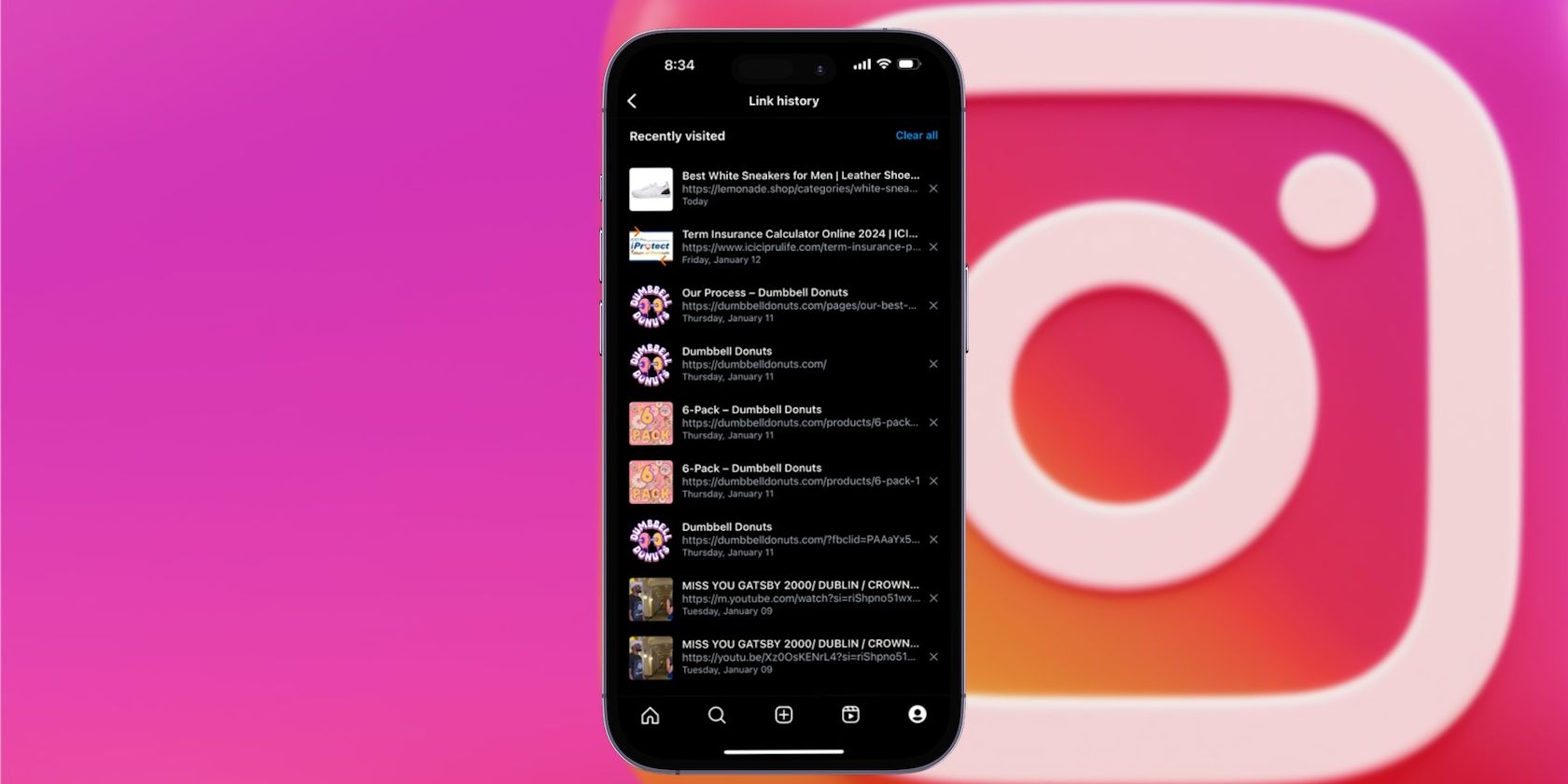
Instagram lets you view all the sites you recently visited in the app, which can be handy when you want to retrieve a product link you tapped while scrolling through the platform. To take advantage of this, you need to enable Instagram’s link history feature.
How to Enable or Disable Link History on Instagram
Instagram needs your permission to track all the links you tap and visit in the app. However, it’s possible that you have received a pop-up prompting you to turn the link history feature on as you used the platform. So, it’s worth checking to see if you have it enabled already.
Whether you use an iPhone or Android device, you can follow the steps below in the Instagram app to check if the link history feature is active:
- Launch Instagram and tap the profile icon in the bottom-right corner.
- Tap the three lines in the top-right corner and choose Your activity from the pop-up menu.
- Scroll down and select Link History.
- Here, if you see a list of links, it means the feature is active. However, if you’re prompted to enable it, you can tap the Allow link history option below the message. You may also see “No recent link history” in this menu, which means you haven’t tapped on any external links in the platform yet.
- Now, if you’d rather have this feature turned off, tap on any of the links in your history to bring up Instagram’s in-app browser.
- Next, tap the ellipsis (…) button in the top-right corner of the browser and choose Browser settings.
- Here, toggle off Allow link history to stop using this feature. When prompted to confirm, choose Don’t allow.
You’ll also find the option to clear your link history in the same menu. But disabling the feature will also clear all the links you’ve visited from Instagram recently.
Instagram only saves the links you visited for up to 30 days. Also, the links you visit from the web version of Instagram won’t be added to the link history page.
Why You Shouldn’t Enable Instagram’s Link History
As handy as it can be, we don’t recommend enabling the link history feature on Facebook or Instagram if you’re concerned about your online privacy. That’s because Meta, the company which owns both Facebook and Instagram, will deliver targeted ads across its platforms based on the sites you visit. And as Meta is known for tracking its users, actively giving it permission to do so won’t be to everyone’s tastes.
On the positive side of things, enabling the link history feature in Instagram means that a. you’ll be able to quickly find a link you previously visited, and b. you’ll see more ads that are relevant to your interests. So, it ultimately boils down to the kind of experience you want from Instagram.